 Drefly
Why Use Drefly's Record Tool for Your Company
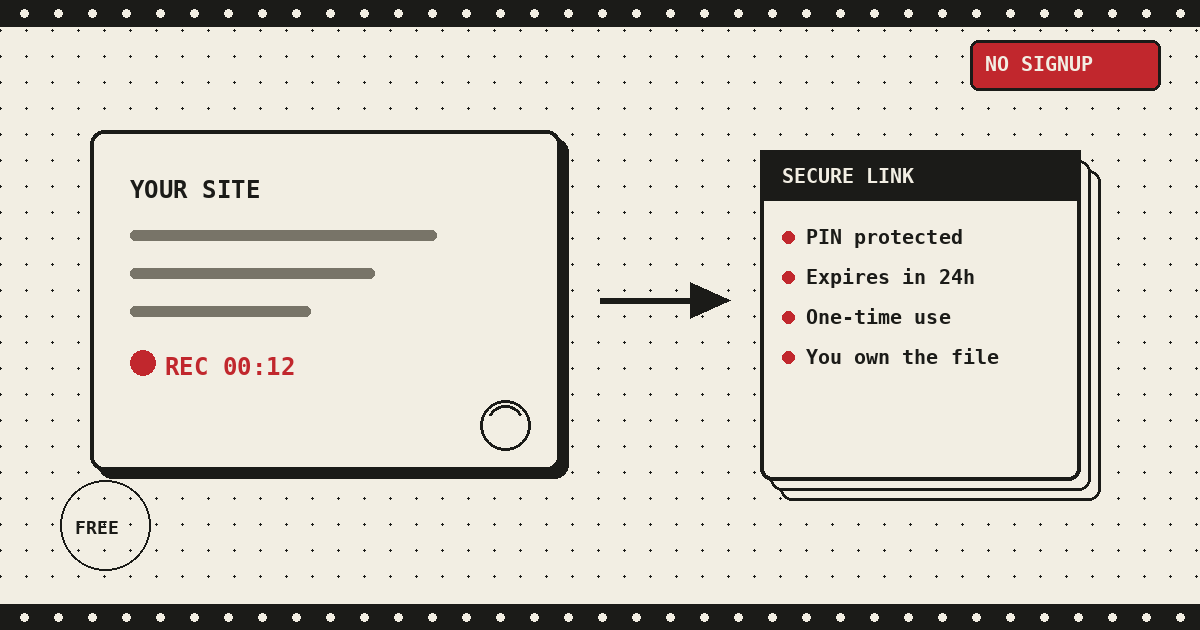
When a customer runs into a bug, the usual back and forth looks like this: they type up what happened as best they can, you ask three follow up questions to figure out what they actually meant, and twenty minutes later you still don't know what they were looking at. Drefly's Record tool skips that whole exchange. Drop a short embed script on your site, and any visitor can hand you a screen recording of exactly what went wrong, straight from their browser, with no account of their own to create.
This isn't the same page as our personal Record tool. That one is for recording your own screen and keeping the file. This is the version built to sit on your product, your support form, or your feedback page and collect recordings from other people, then deliver them to you. Here's exactly how it works, verified against the widget's own code rather than assumed.
Built for companies, not another SaaS seat
Most tools in this space want your customer to sign up before they can send you anything, or they cap how many recordings you can collect until you upgrade. Drefly's widget doesn't ask your customer for an account at all. They open the recording page, click one button, and it starts. There's no recording length limit, no monthly quota on the number of recordings you collect, and nothing to buy to unlock the parts you'd actually need day to day.
Your branding, not ours
Nothing about the recording experience needs to look like it belongs to Drefly. You can set your own logo and brand color in your widget config, and both apply everywhere a customer sees the widget: the in-page recording panel, the choice screen if you offer both recording flows, and the dedicated recording page that opens for the new page flow. Your logo sits in the header, and your color runs through every button, progress bar, and accent in the interface.
If you don't set a color yourself, the widget doesn't fall back to a generic default and call it done.
It looks at your own site first: a theme-color meta tag if you have one, or failing that,
the color of your primary buttons and links, sampled directly from your page's computed styles. Near
white, near black, and washed out gray tones get skipped so it doesn't lock onto your page background
or body text by mistake. Set brand_color explicitly in your config and that always wins
over anything auto-detected. Either way, a customer recording something for you sees an interface that
looks like it was built for your product, not a third party tool bolted onto it.
Security: PIN protected links, expiry, and single use sessions
Every recording session your widget creates runs through a link that's built to expire, not linger. When someone starts a new page recording, the widget requests a fresh link from your Drefly config. That link carries its own random slug and a separate access token, and it's only good for 24 hours from the moment it's created. Once that window closes, the link stops working entirely, even if it was never used.
The link is also single use. A recording session moves through a small set of states: pending, then recording once someone starts, then completed once the file finishes uploading. Once a session reaches completed, it's locked. Reopening the same link shows a message telling the visitor it's already been sent, and the server rejects any attempt to start a second recording against it. A customer can't accidentally reuse a link, and neither can anyone who happens to find an old one sitting in an email thread.
Once a recording reaches you, sharing it back out (with a teammate, a client, or anyone outside your company) can be locked behind a PIN. Turn on PIN protection for a share and Drefly generates a random six digit code, then encrypts and stores it rather than keeping it in plain text. Anyone opening that link has to enter the correct PIN before the recording will play, and the check is rate limited: five wrong attempts locks the link out for fifteen minutes. Get the PIN right and your browser gets a short lived, encrypted cookie so you're not asked again for half an hour. Prefer recordings to be viewable without a PIN for internal use, that's available too as a direct, unprotected link, your choice per recording.
AI insights stay private until you choose to share them
Every recording gets a free transcript, an AI summary, and auto generated chapters, and by default those insights are visible to you alone on developer.drefly.pro, never bundled into a share link automatically. When you create or update a share for a recording, there's a separate Share AI insights toggle sitting right next to the PIN option, off unless you turn it on. Leave it off and a customer or teammate opening the link sees the video and can leave comments, nothing else. Turn it on and the same transcript, summary, and chapter tabs you see in your own dashboard appear for the viewer too, styled the same way, no separate export or extra step needed on your end. Flip it back off at any time and the insights stop showing up on that share immediately.
You own your data
This is the part that actually separates Drefly's widget from most of the alternatives. Recordings your customers send never touch a Drefly owned server for storage. When you set up the widget, you connect your own storage bucket (Amazon S3, Cloudflare R2, Backblaze B2, DigitalOcean Spaces, Wasabi, Google Cloud Storage, MinIO, or any other S3 compatible provider), and every recording uploads directly from your customer's browser into that bucket using a short lived, pre-signed URL. Drefly's server never sees the video file itself, only the metadata needed to track that a session happened.
That means the recordings your customers send you live in storage you control, under your own retention rules, deletable whenever you decide to delete them. There's no separate copy sitting on a third party's infrastructure that you'd need to request or fight to get removed. If you ever change providers or shut the widget off, your existing recordings aren't stranded anywhere, they were always in your own bucket to begin with.
Two ways your customers can record
The widget offers two recording flows, and you choose which one fits your site, or let the visitor pick between them.
- This tab - the recording happens right where the widget is embedded, on the same page your customer is already using. There's no redirect and no new tab to lose track of. This is the better fit when you want the recording tied tightly to the page someone was on when something went wrong.
- New page - the widget opens a separate tab dedicated to recording, then sends the finished file back to your company once the visitor stops. This is useful when the thing being reported involves leaving your site (a checkout flow on a different domain, for example) since the recording tab stays independent of whatever page the visitor navigates to next. Behind the scenes, this is the flow that creates the time limited, single use link described above: your widget calls for a redirect link, opens it in a freshly created tab so the browser treats it as a normal user initiated popup rather than blocking it, and once the visitor clicks stop, the recording uploads and the link is marked complete.
Both flows record the same way once capture starts: screen, camera, or a screen recording with a small webcam bubble composited into the corner, depending on how you configure the widget's capture mode. Microphone and system audio blend in automatically, and while an upload is still in flight the browser tab is flagged so the visitor gets a warning before closing it and losing an unsent recording.
Free, unlimited, no payment walls
There's no pricing tier attached to the widget, no cap on how many recordings your company can collect, and no feature sitting behind a paywall. Setting it up doesn't require a signup form either, your company dashboard unlocks with a passkey rather than a password you'd have to invent and store somewhere. The only real setup step is pointing the widget at storage you already control, covered in detail in our companion guide, How to Integrate Drefly Into Your Company.
Drefly vs Loom and similar tools
Tools like Loom are built primarily for one person recording and sharing their own videos, and embedding that kind of tool into your own product as a customer facing recorder generally means routing customers through someone else's signup screen, someone else's free tier limits, and someone else's storage. A few concrete differences worth knowing before you pick one:
- Signup for the person recording - most tools in this category expect the person capturing a video to have (or create) an account on that platform first. Drefly's widget never asks your customer to sign up at all.
- Free tier limits - typical free tiers cap recording length, monthly video count, or total storage, then push you toward a paid plan once you're actually relying on the tool. Drefly's widget has no recording cap and no monthly quota.
- Paywalls and pricing - features like custom branding, longer recordings, or advanced sharing controls are commonly locked behind a subscription. There's no subscription here. The widget, the PIN protected shares, and the storage integration are all part of the same free offering.
- Storage and retention - most competitors store your recordings on their own servers under their own retention policy, which means you're relying on their terms of service for how long a video sticks around and who else technically has access to it. Drefly's widget uploads straight into storage you own, so retention is whatever you set it to be.
- Data ownership - this is the biggest one. With most tools, the recording is a file that exists on someone else's platform, and you're granted a link to it. With Drefly, the recording is a file in your own bucket from the moment it's uploaded. There's nothing to export and nothing that requires a data request if you ever want to move away from Drefly entirely.
If you want the broader story of why Drefly's tools work this way in general, not storing what doesn't need to be stored, no payment walls, no signup for basic use, we wrote it up in Why I Built Drefly. For the technical detail on how recordings and storage are handled across the whole product, our Privacy Policy covers it directly.
We'd love your feedback
The widget keeps improving because companies actually using it tell us what's missing or what tripped them up during setup. If you've got a suggestion, hit a bug, or need a storage provider we don't support yet, we want to hear about it. Reach out any time through the Feedback page or by emailing support@drefly.pro.
Ready to add it to your site?
See the Record tool your customers will use, then read the integration guide to embed it on your own site in minutes.
See the Record tool