 Drefly
Book Drefly Ads From Claude, ChatGPT or Cursor in One Click
Drefly Ads now works with AI agents. Connect Claude, ChatGPT, Claude Code, Cursor, VS Code, Windsurf, Gemini CLI or your own code, and ask it to find a placement, quote it, upload your image or video, create the ad, get the payment link and report on how it does. You pay and the Drefly team reviews every ad, so nothing goes live without you.
What's new
- One click connect. Add Drefly Ads in your app, press Allow on Drefly and you are done. No key to copy.
- API keys with exact permissions for scripts and apps that can't sign in, with read or read and write access and an expiry you pick.
- Payment links from the agent. The new
checkout_adtool returns the payment link for the ad it just made. - Images and videos. Agents can upload a file, import it from a public link, or get a one time upload link for big videos.
- Reports for agents.
get_overviewandget_reportreturn views, clicks, video progress and spend. - Docs. Every tool, sample and limit is in the new Drefly Ads for AI agents docs.
Two ways to connect
Open Agents in the Drefly Ads portal and click Connect agent. You get two choices.
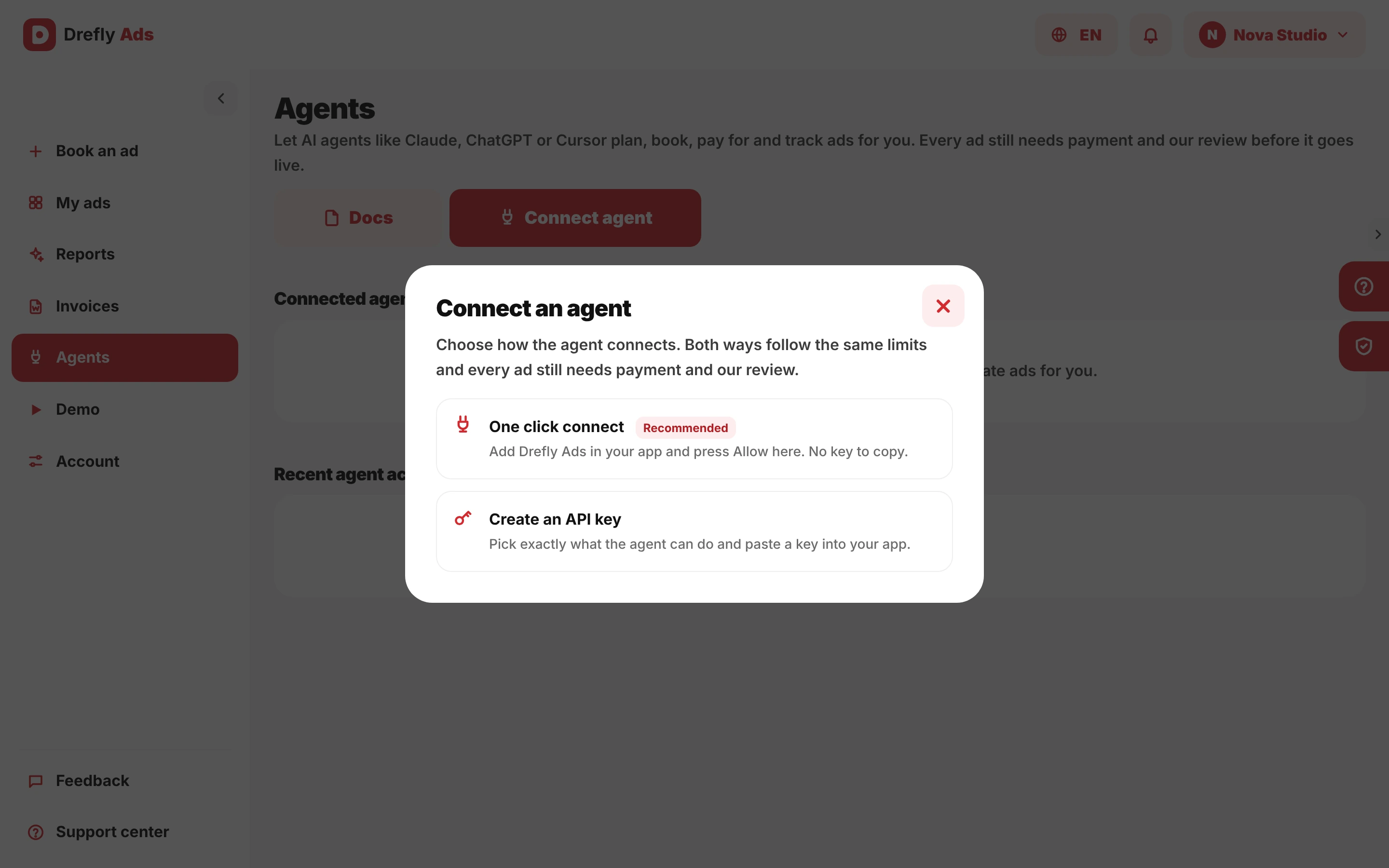
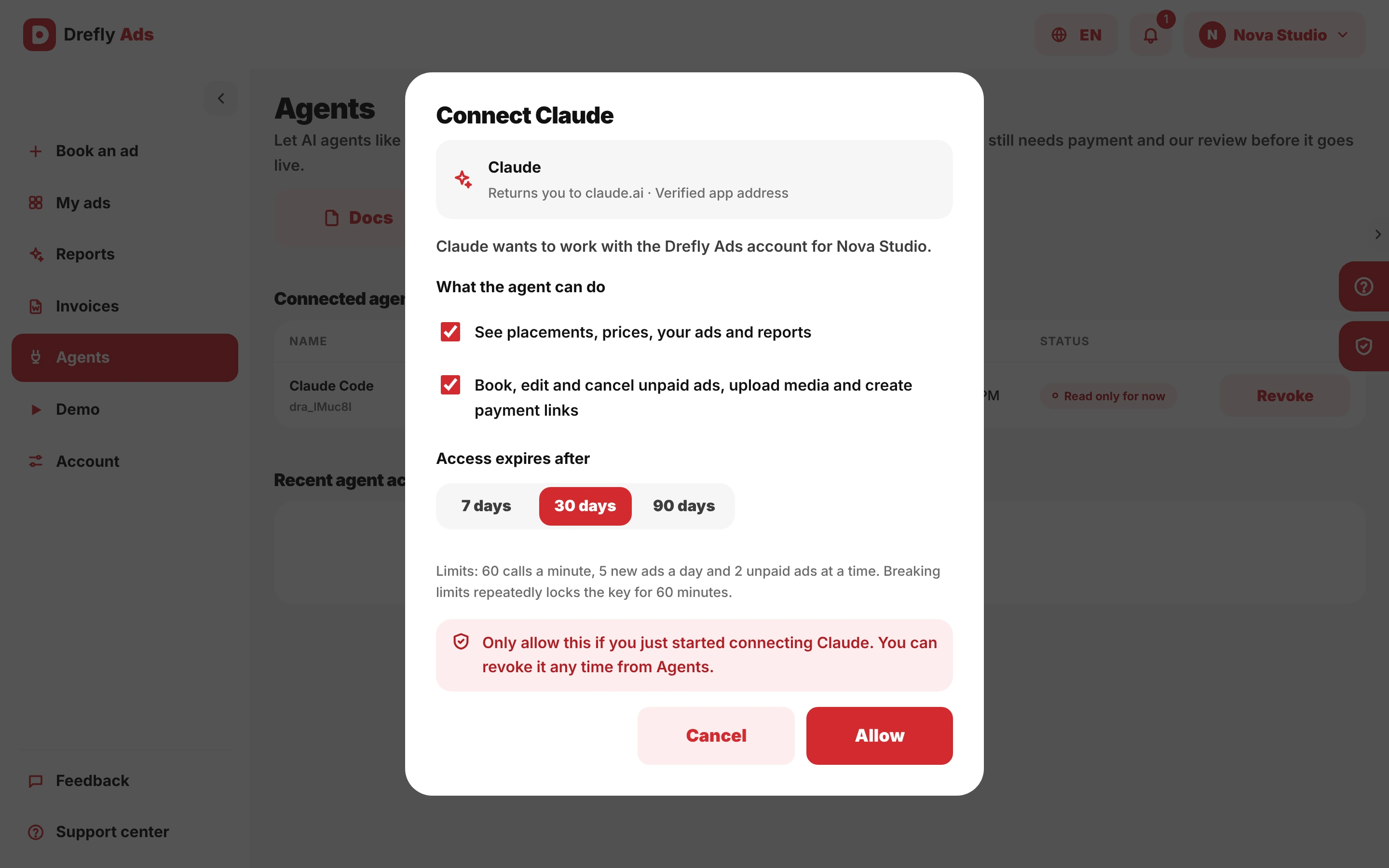
- One click connect is the easiest. Your app opens Drefly Ads, you check what it can do and press Allow. It can work right away.
- Create an API key lets you name the key, choose read or read and write, and pick 7, 30 or 90 days. The key is shown once and can write after 60 minutes, which gives you time to revoke a key you didn't create.
One click, start to finish
Pick your app and Drefly shows the steps with the server URL ready to paste. For Claude, the Open Claude button copies the URL for you. Cursor and VS Code get an install button, and Claude Code a single command.
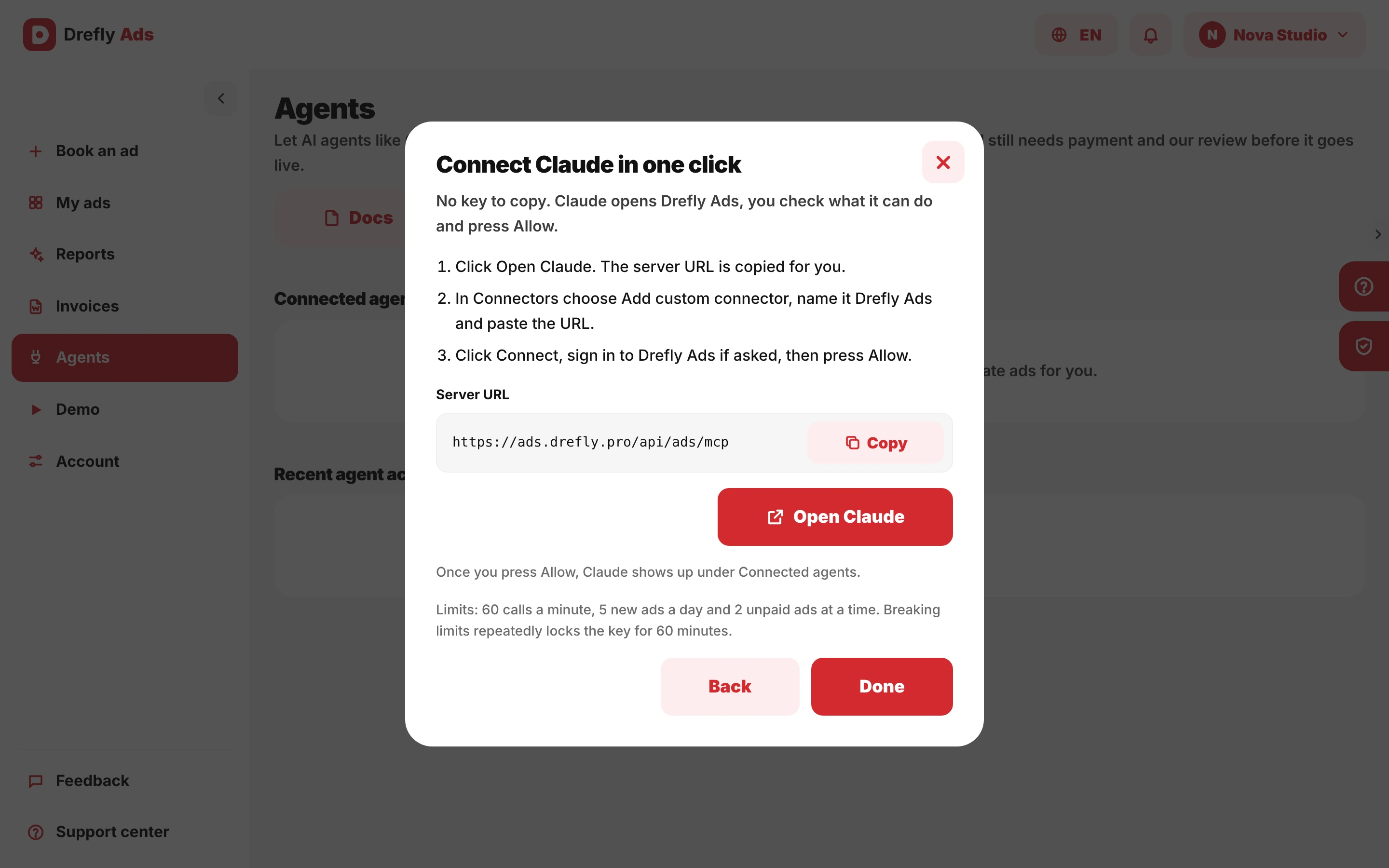
When the app connects, Drefly shows who is asking, the address it returns you to and what it wants to do. Known apps like claude.ai are marked as a verified app address. You can turn write access off and choose how long the access lasts.
A booking, start to finish
Once connected, talk to the agent the way you would to a colleague:
Book a 7 day image ad on a PDF tool with good traffic, starting next Monday.
Use the image at https://nova.example/banner.png, the headline
"Record and cut in one app" and the link https://nova.example. Then give me
the payment link.
- The agent lists placements and quotes the one that fits, coupon included.
- It imports your image, which Drefly checks and rebuilds before it can be used.
- It creates the ad, which holds the dates while you pay.
- It calls
checkout_adand hands you the payment link.
Images and videos
Images can be PNG, JPEG or WebP up to 5 MB. Videos can be MP4, WebM or MOV up to 90 MB and 90 seconds. Agents send small files directly, import from a public https link, or ask for a one time upload link that expires after 15 minutes. Every file is rebuilt on Drefly's servers, so what goes live is always a clean copy, and a file can only be used by the account that uploaded it.
Paying stays with you
An agent can never pay. checkout_ad creates the same crypto invoice you get in the portal
and the agent gives you the link. Once you pay, the Drefly team reviews the ad, exactly like any other
booking, and you are notified when it is approved and when it goes live.
Tracking results
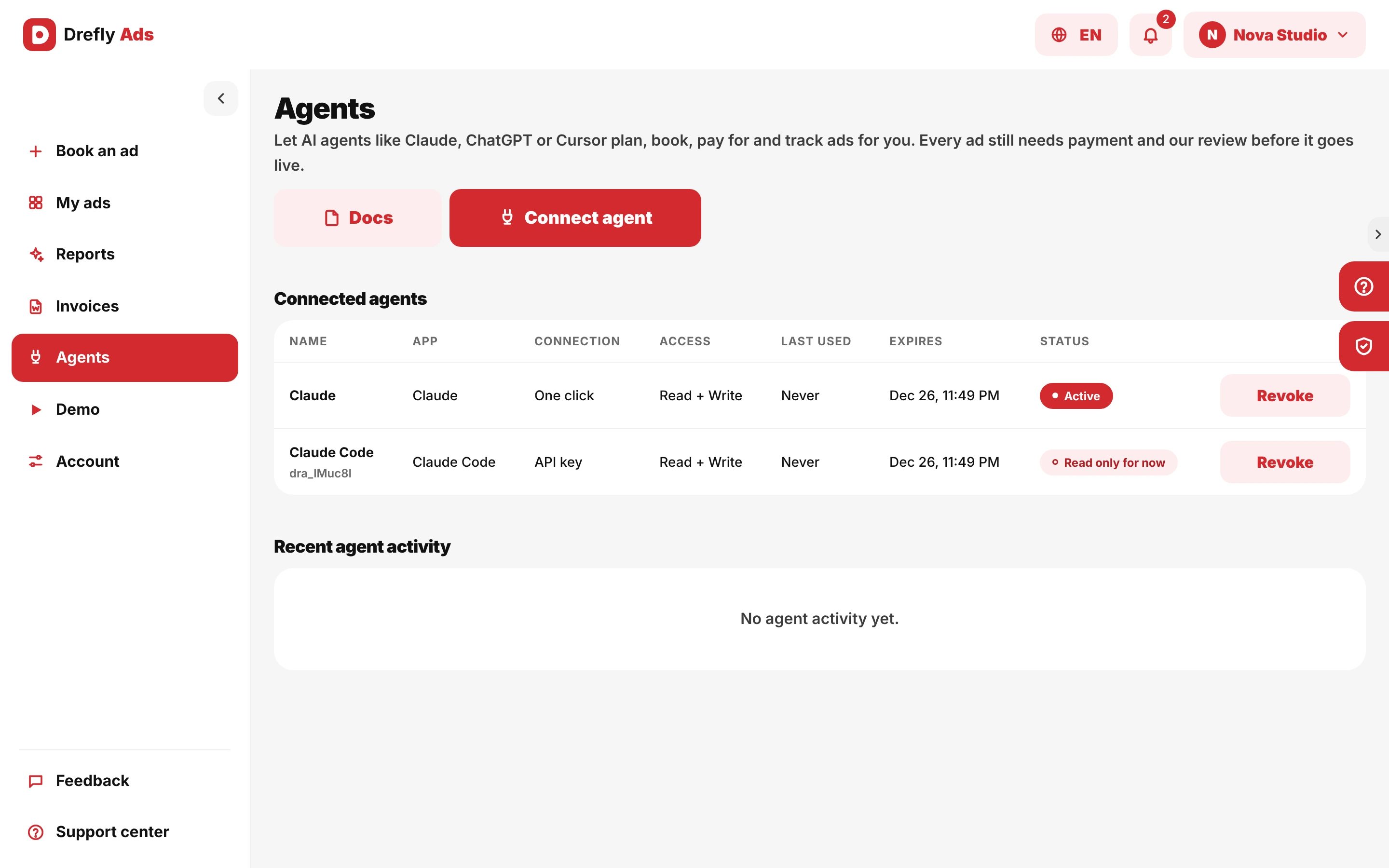
Ask the agent how your ads are doing and it can pull views, viewable views, clicks, video progress, spend and breakdowns by country and device, by day, week or month. On your side, Agents lists every connection with its app, connection type, access, last use and status, plus a log of what each agent did. Ads an agent created are marked in My ads.
Built to keep bad agents out
- Keys and tokens are stored as hashes. One click tokens last an hour and refresh tokens work once. Reusing one revokes the connection.
- The Allow screen works once, for 10 minutes, and only for the account that opened it.
- Agents can only change ads they created, can't see other accounts and can't use other accounts' files.
- Limits cover calls, writes, new ads, unpaid ads, uploads, videos and checkouts. Breaking them repeatedly locks the connection, and a connection locked three times in a day is revoked.
- You get a notification and an email when an app connects, and the Drefly team can pause agent access for everyone at any time.
Get started
Sign in to Drefly Ads, open Agents and choose One click connect. The full setup for every app, the tools reference and code samples are in the docs. Questions or ideas? Email support@drefly.pro.
Let your agent book your next ad
Connect in one click. You still pay and we still review, so you stay in control.
Connect an agent